Signals
Netflix Recommendations for Car Shoppers
Signals transformed automotive dealership websites into dynamically tailored experiences for every visitor. Leveraging first-party data and real-time behavior signals, I helped shape the UX that delivered personalized content, inventory recommendations, and calls-to-action without requiring user log-ins, effectively guiding shoppers toward conversion.
Employer
DealerOn
Software
Miro, Figma, PhotoShop
Industries
User Research, UX/UI Design, Product Design
Date
Released Q1 2024
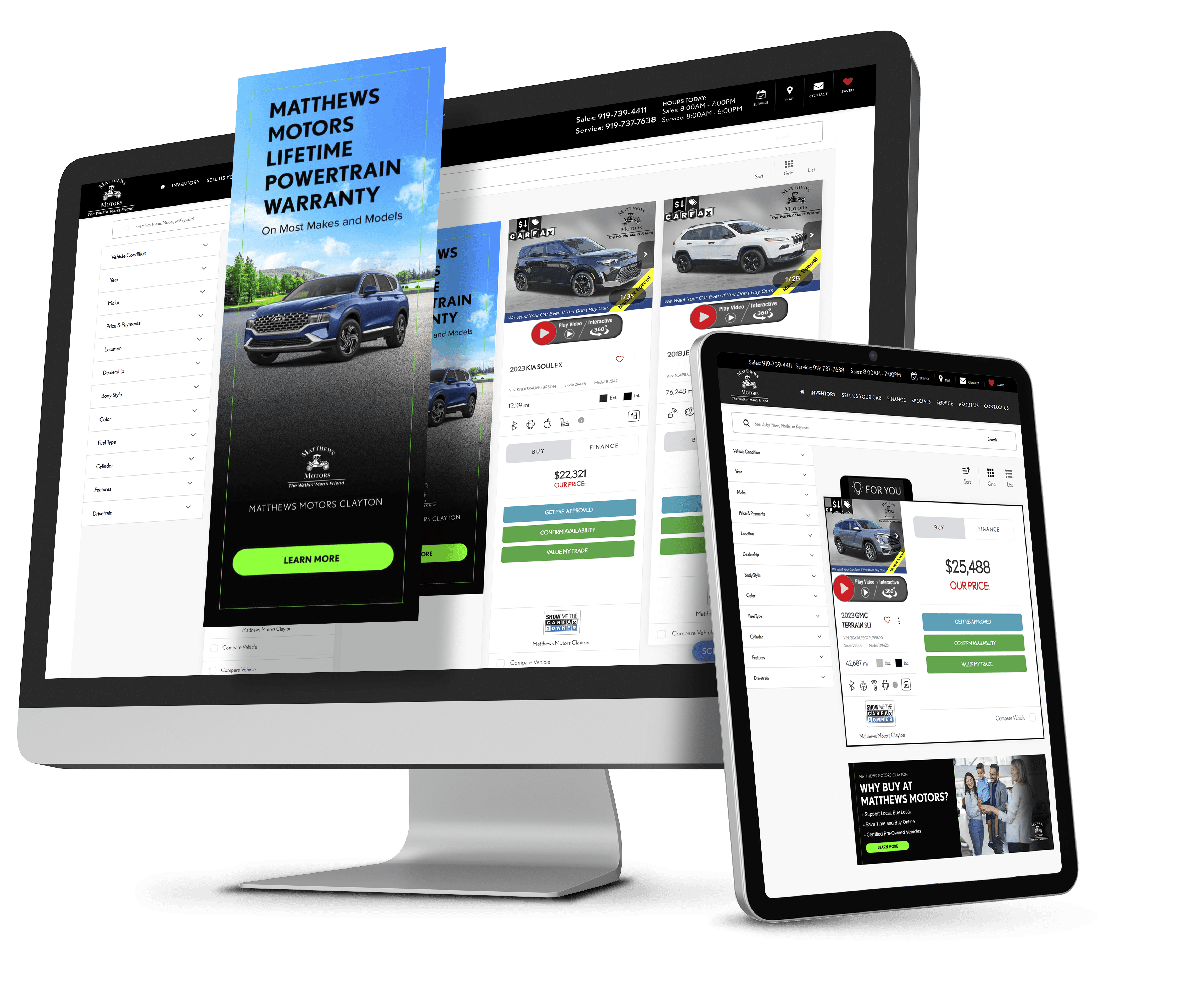
THE CONTEXT
The aim of this project was to enhance the DealerOn product offering (which ties into the overall car shopper experience) by providing customized content for different types of users browsing dealer websites. The personalization capabilities would be focused on key areas such as the Home page, SRP, VDP, and navigation.
Challenge 1 - Designing a Flexible Personalization System for Dealers
• Designing a system that allowed dealers to configure behavioral targeting rules while keeping the experience intuitive for both dealers and shoppers.
Challenge 2 - Balancing Dealer Control with System Simplicity
• Multi-select audience targeting logic
• UTM-based segmentation for campaign attribution
• Clear rule structures to prevent conflicting personalization triggers
Challenge 3 - Integrating Personalized Ads Without Breaking the Shopping Flow
• Maintaining layout stability when Signals cards appear
• Visually differentiating Signals cards from vehicle listings while keeping them cohesive
• Controlling ad density to avoid overwhelming the page
• Ensuring placement logic worked consistently across SRP, VDP, and other site surfaces
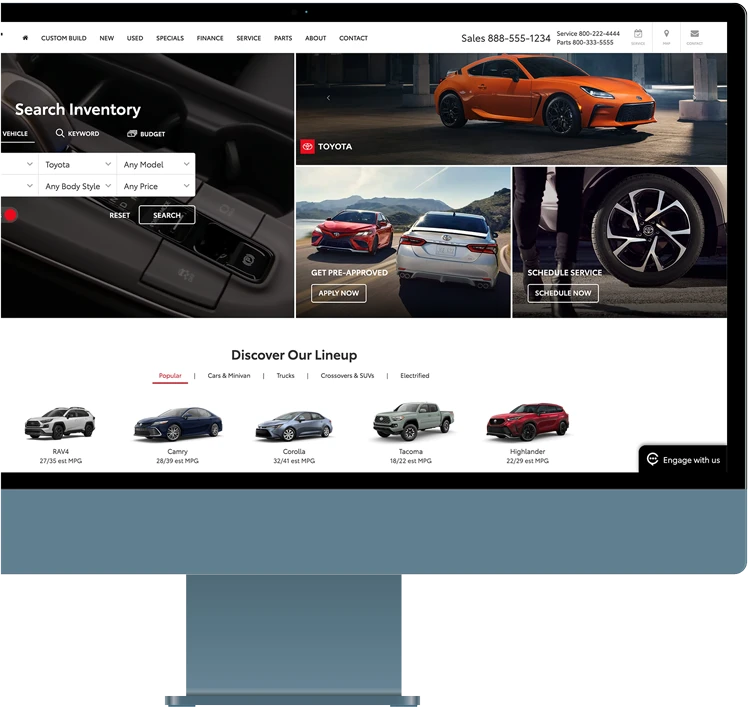
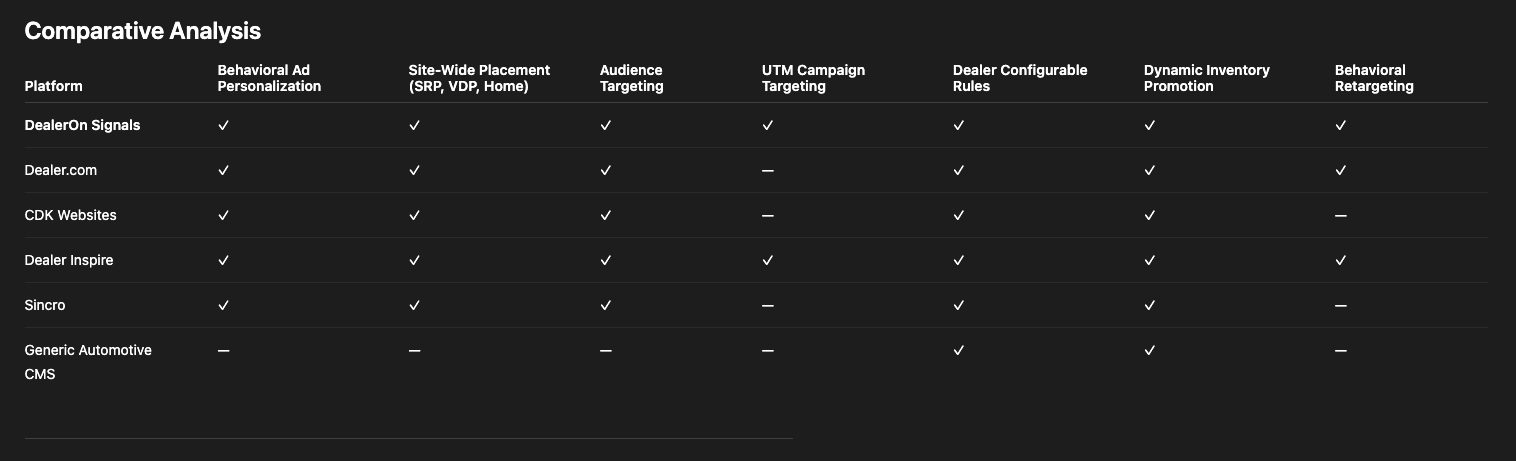
COMPARATIVE ANALYSIS
Most competitors focused on static inventory promotion, revealing an opportunity for DealerOn to differentiate through behavior-driven personalization and dynamic ad placement.
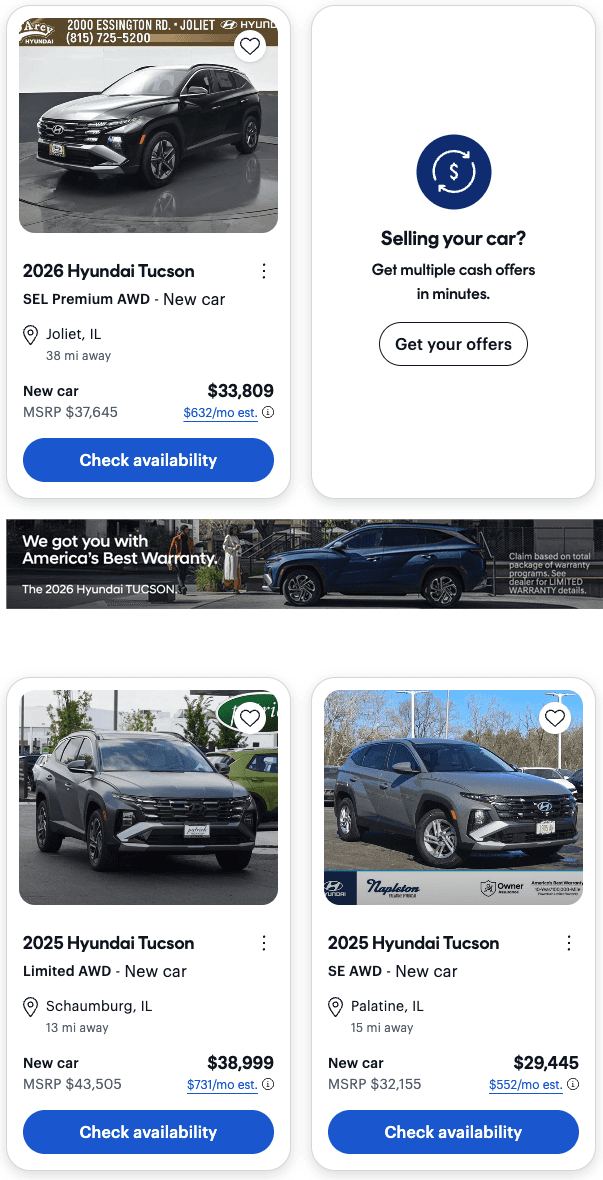
COMPARATIVE ANALYSIS - UI
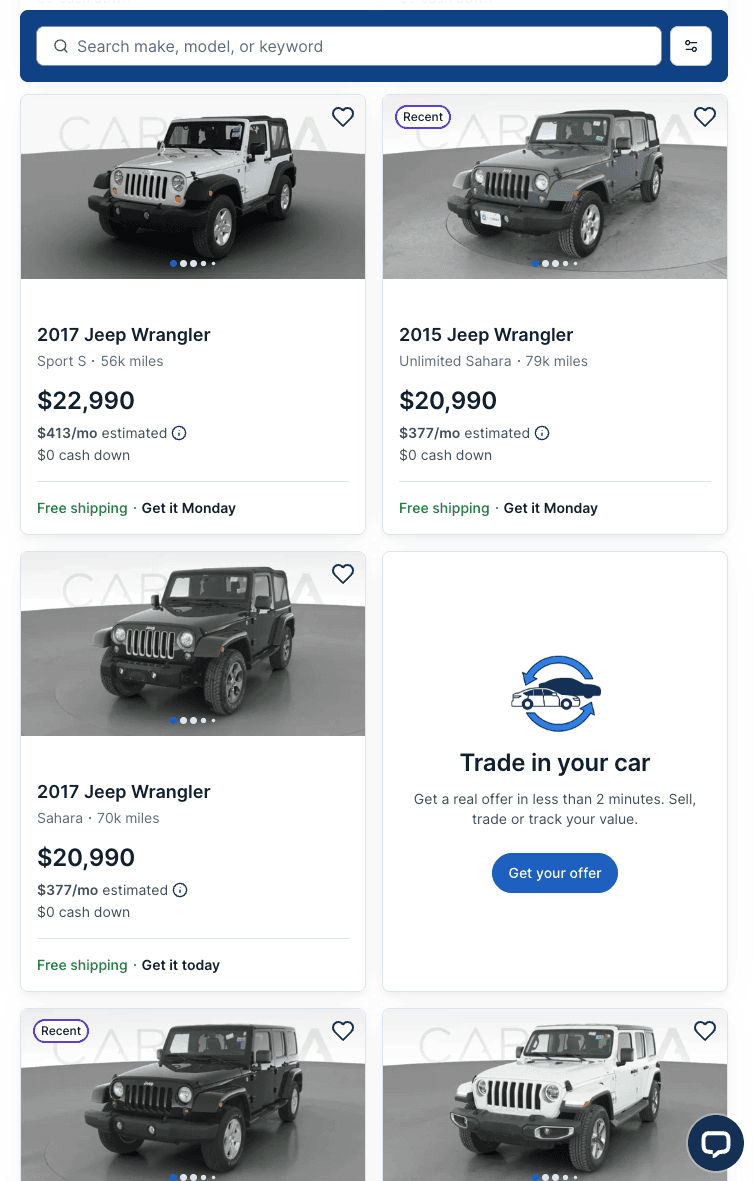

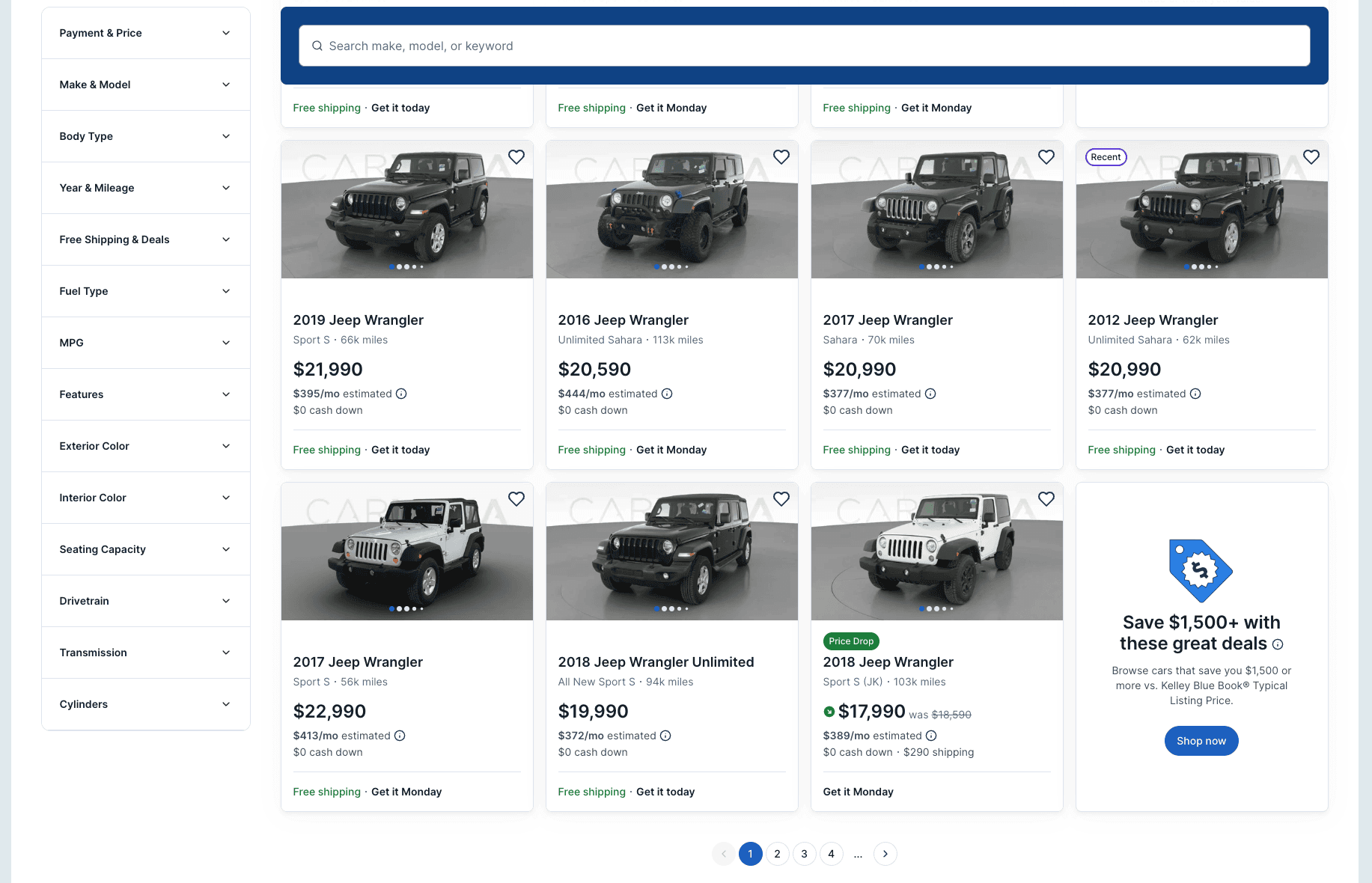
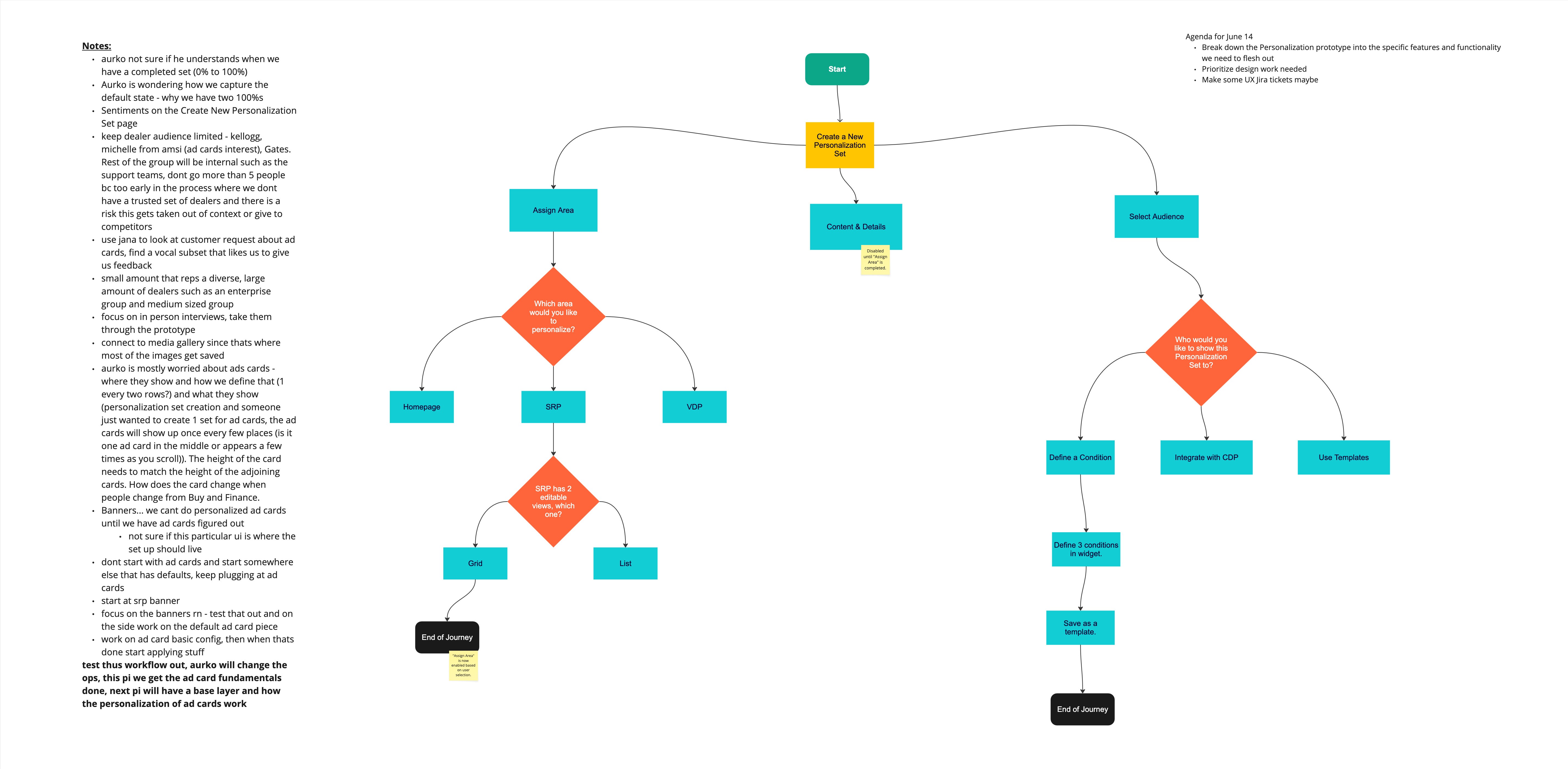
USER JOURNEY
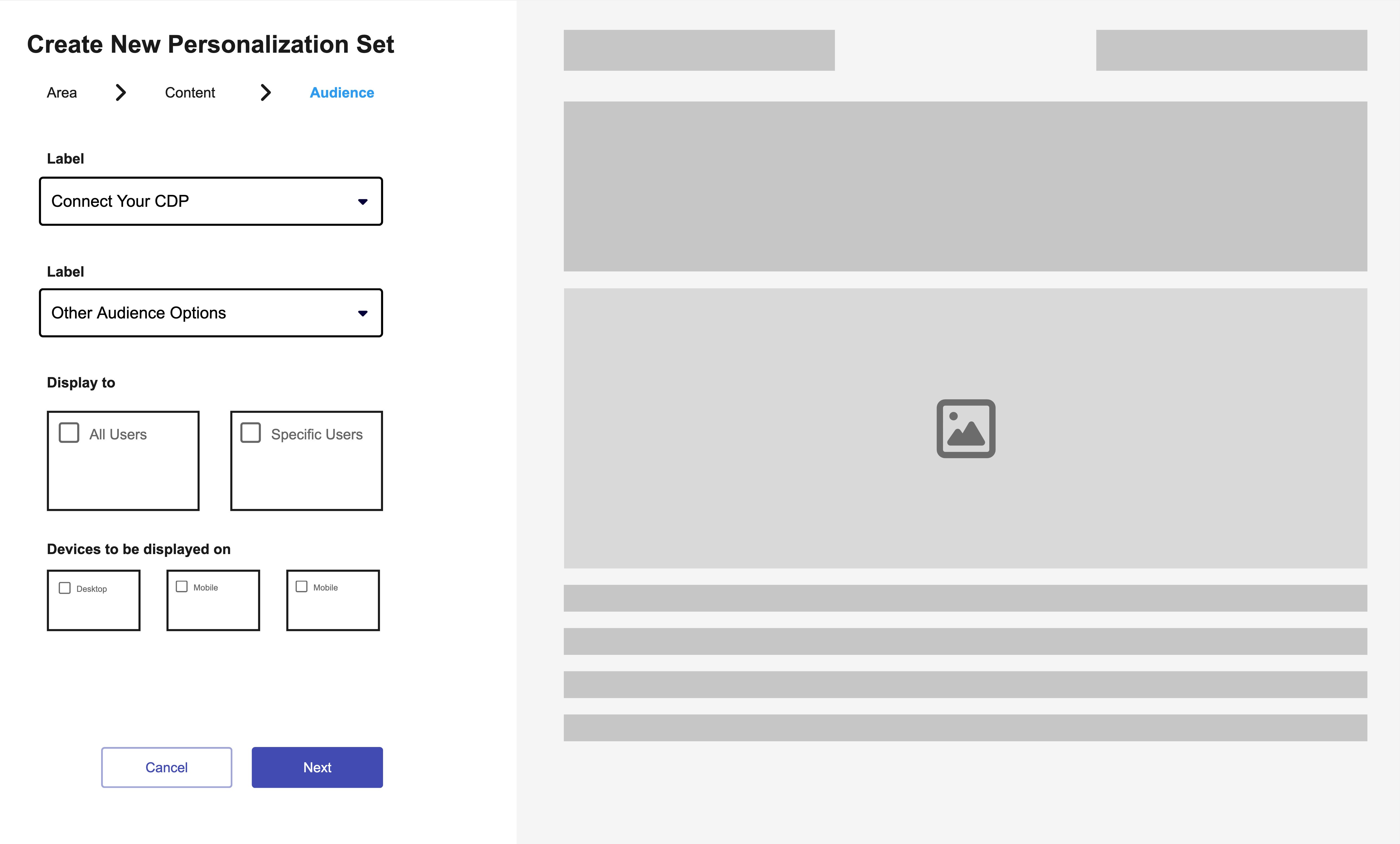
Here's an early rendition of how we anticipated Signals to be utilized:
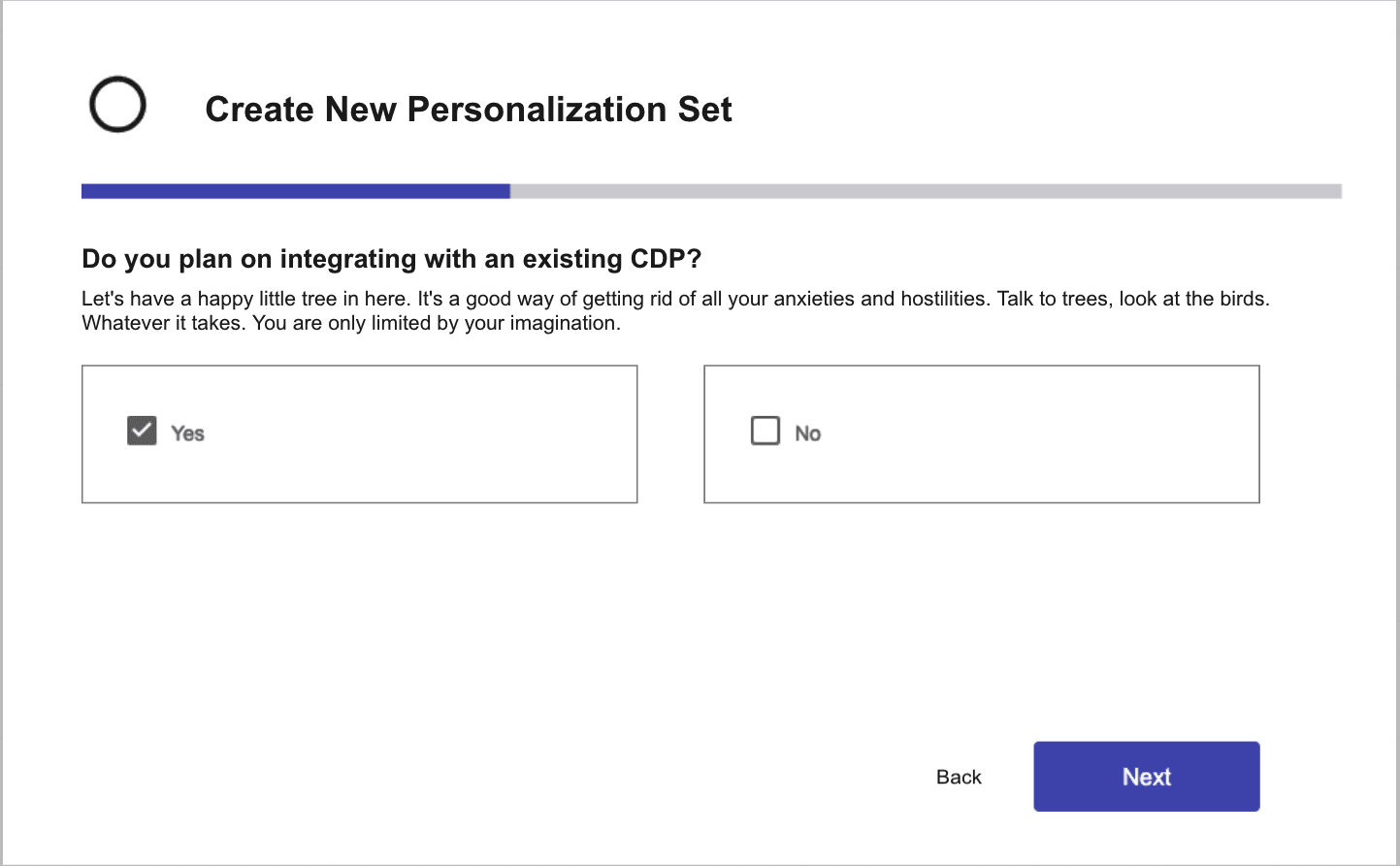
1- Create New Campaign
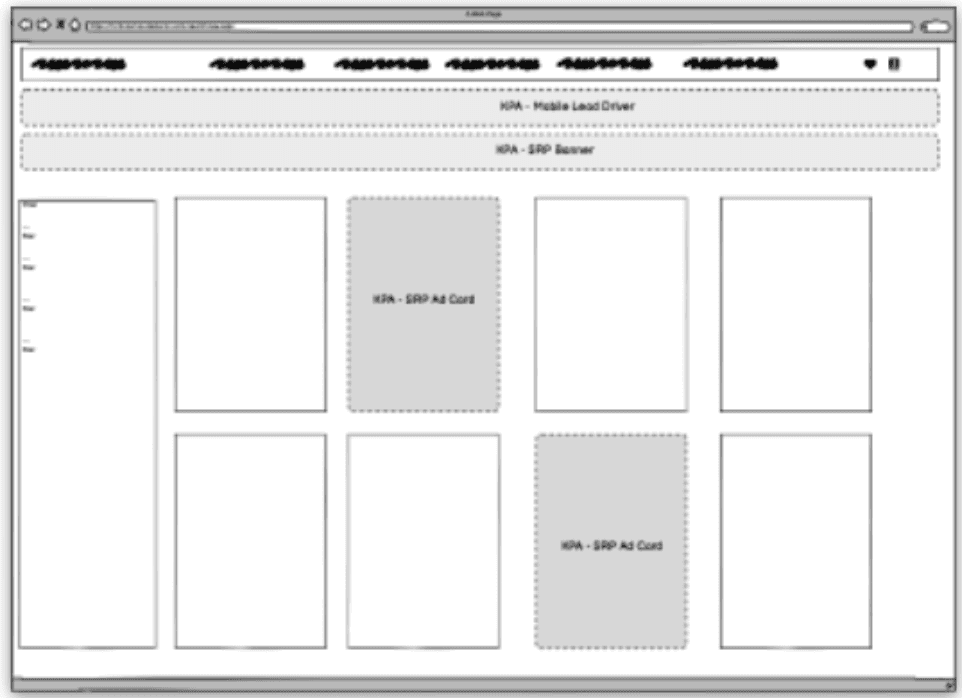
2 - Assign Areas on Site
3 - What Does it Look Like?
4 - Who Sees it?
USER INTERVIEW INSIGHTS
“We want more control over what inventory gets promoted without having to rebuild the homepage every time. Ideally the system would let us promote vehicles dynamically.”
-Internet Director, Ford Dealership
“We always have vehicles we need to move—maybe they’ve been on the lot too long or there’s an incentive running—but right now it’s hard to highlight them at the right moment while someone is browsing.”
-Digital Marketing Manager, Ford
“The biggest challenge is making sure we can set up targeting rules without it becoming too complex. If it takes too long to configure, it slows down client onboarding.”
-Internal User (Customer Support)
Core User Needs

Persona 1 — Implementation Manager (IMP)
I need a clear way to configure Signals campaigns for dealership clients so that inventory promotions are ready before launch and respond correctly to shopper behavior.
— Alex, IMP @ DealerOn
Key Responsibilities
Manually create Signals campaigns
Define placement locations (SRP, homepage, etc.)
Configure targeting conditions
Ensure campaigns align with dealer marketing goals
Frustration
Hard to predict how rules will behave once real users start browsing.

Persona 2 — Customer Success Manager (CSM)
I need visibility into how shopper behavior triggers Signals so they can optimize campaigns and improve dealership performance.
— Jordan, CSM @ DealerOn
Key Responsibilities
Adjust targeting rules
Monitor Signals performance
Recommend new campaigns
Optimize personalization strategies
Frustration
Difficult to understand why certain Signals appear for certain shoppers.

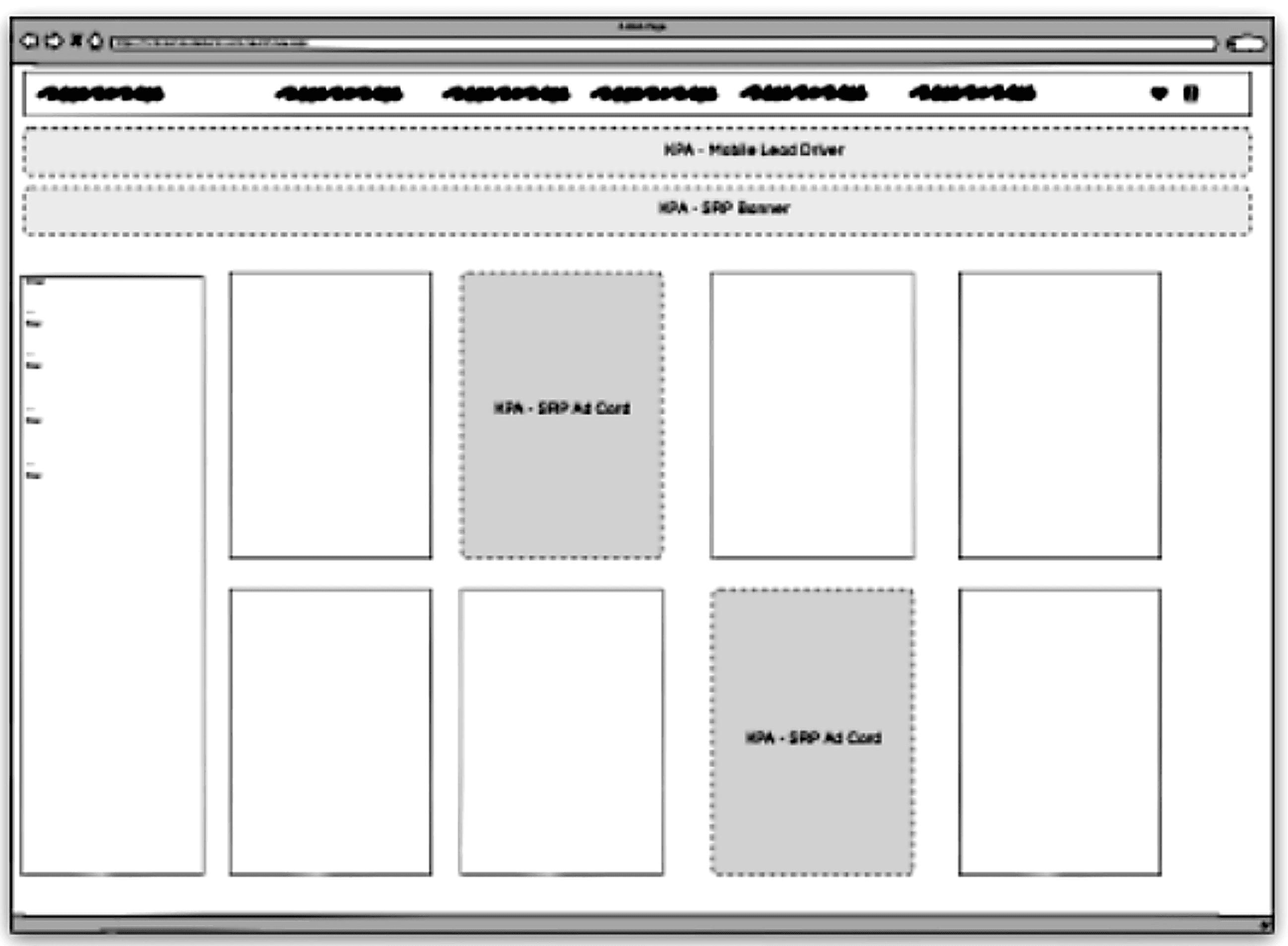
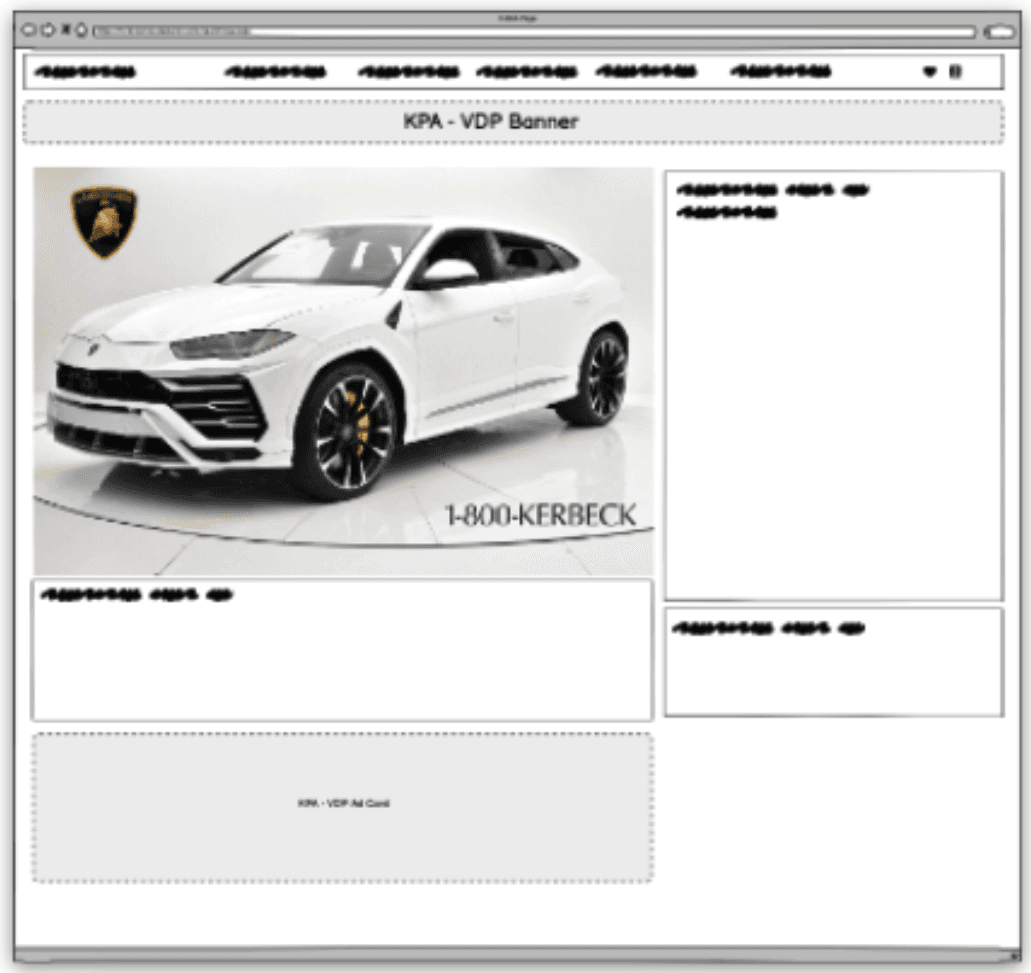
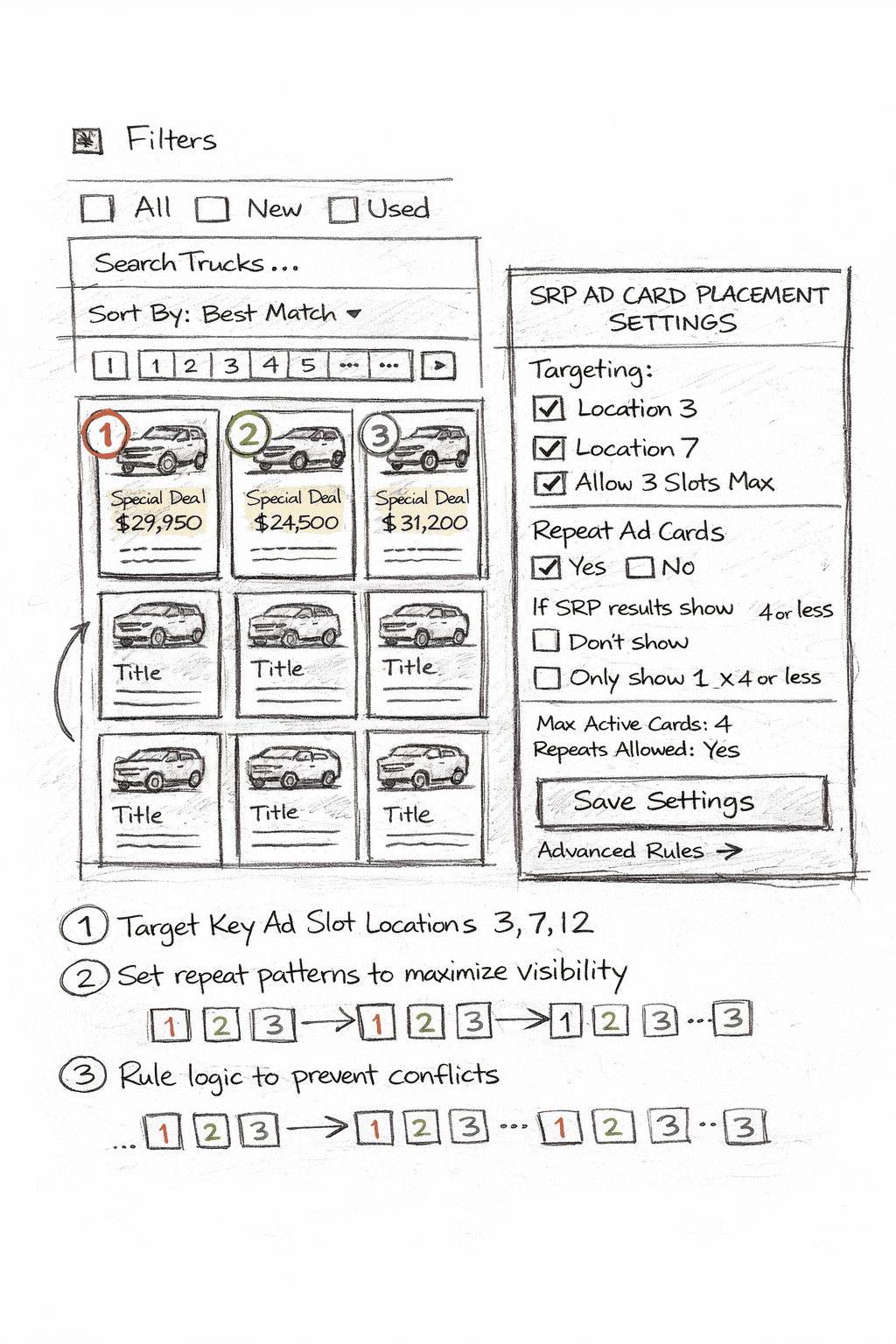
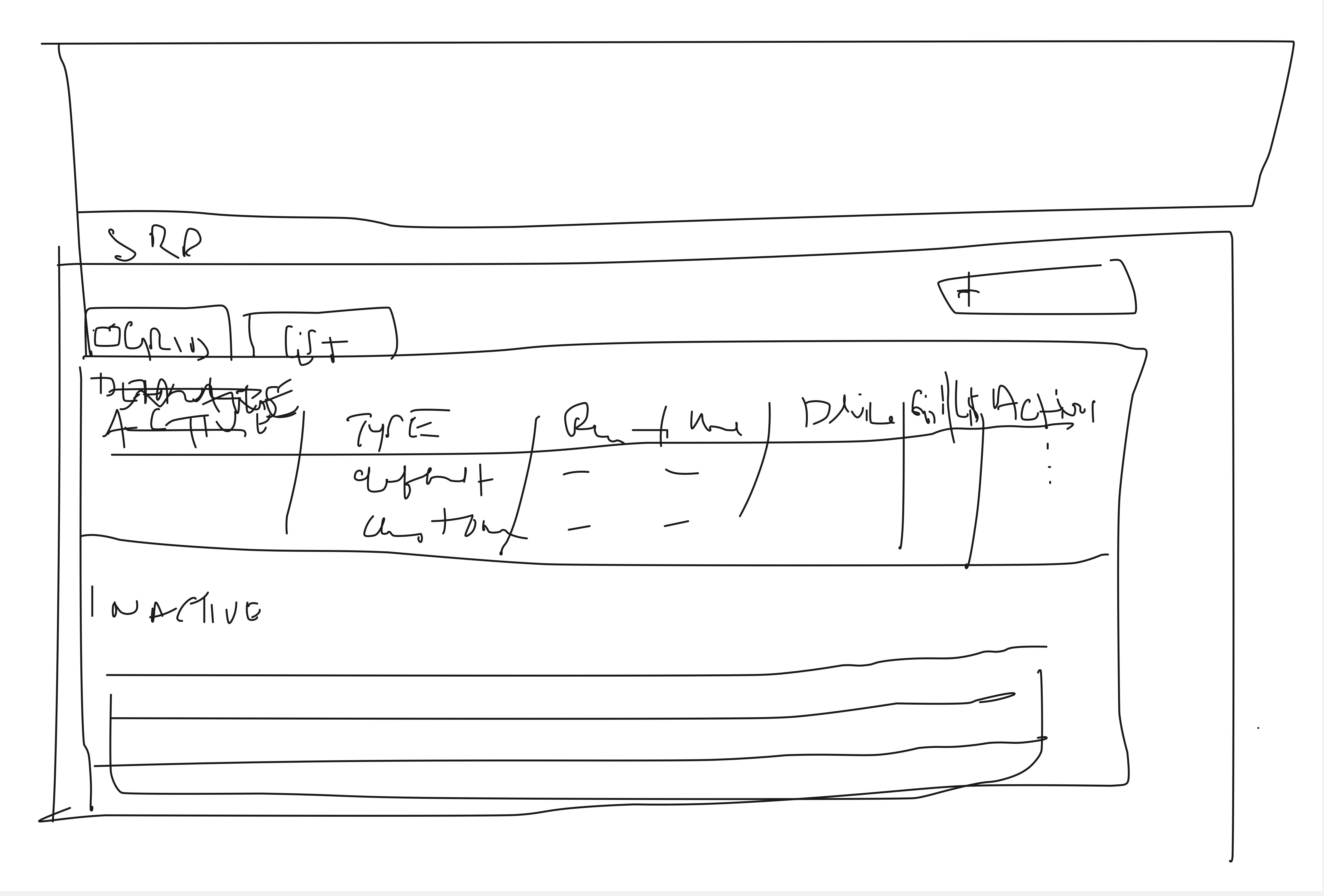
LO-FI WIREFRAMES
TESTING ITERATIONS
TESTING FEEDBACK PHASE 1
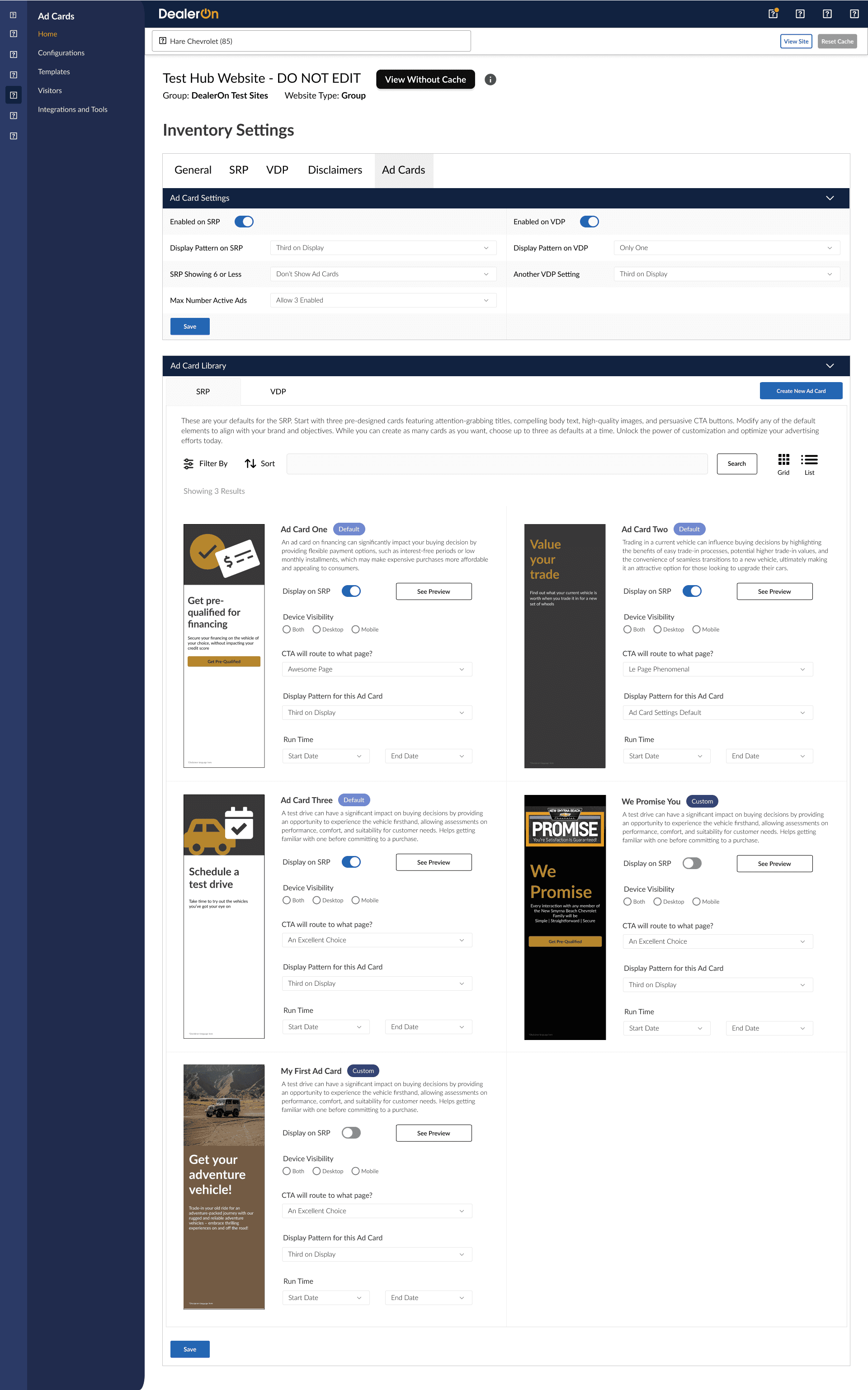
Switch up icons for switching the list vs grid view
Reconsider "viewing" nomenclature
Re-do visuals/arrangement of Filter, Sort, Search, etc.
Three defaults up top (include only name and what it's assigned to)
Remove ability to edit details up front
ITERATIONS AFTER PHASE 1
Re-do Ad Cards Settings Page in CMS.
TESTING FEEDBACK PHASE 2
Consider master file editing and access in settings
Mirror functionality of Enterprise Specials
Where do we locate this in Settings?
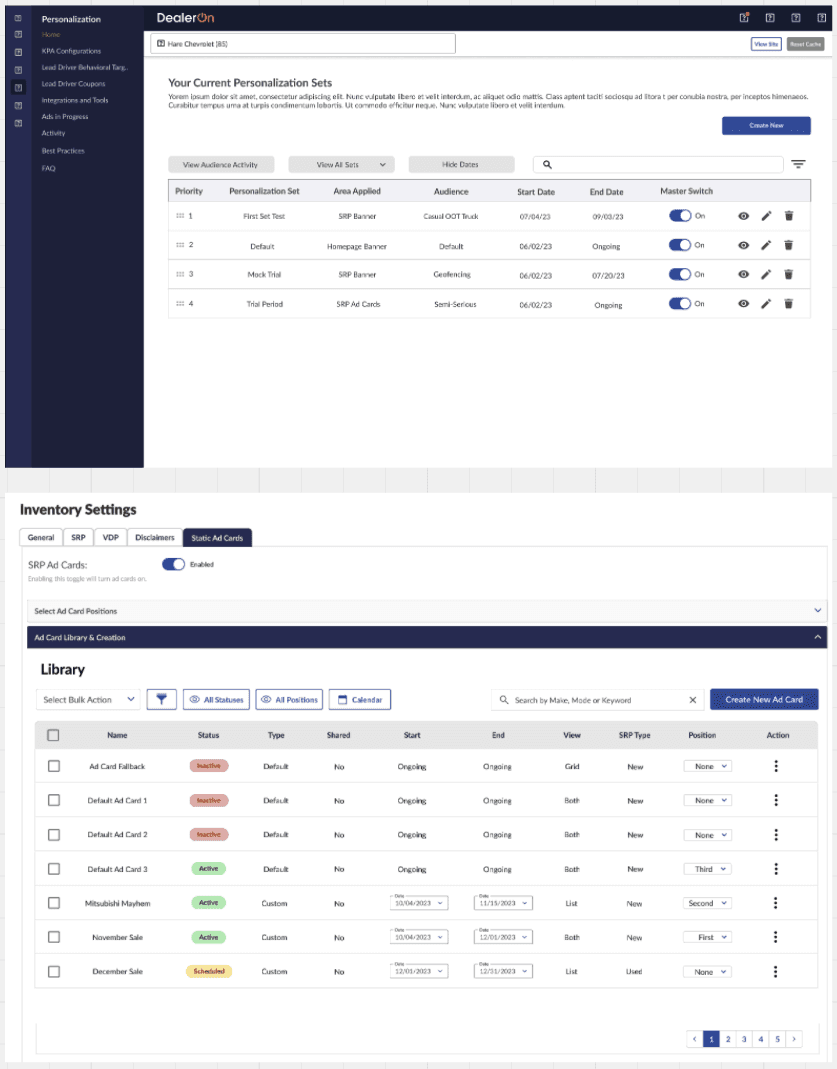
ITERATIONS AFTER PHASE 2
Turn ad cards ON and OFF.
Move to Inventory Settings in CMS.
Additional UI Changes to Settings Page.
TESTING FEEDBACK PHASE 3
"We have to pivot.."
ITERATIONS AFTER PHASE 3
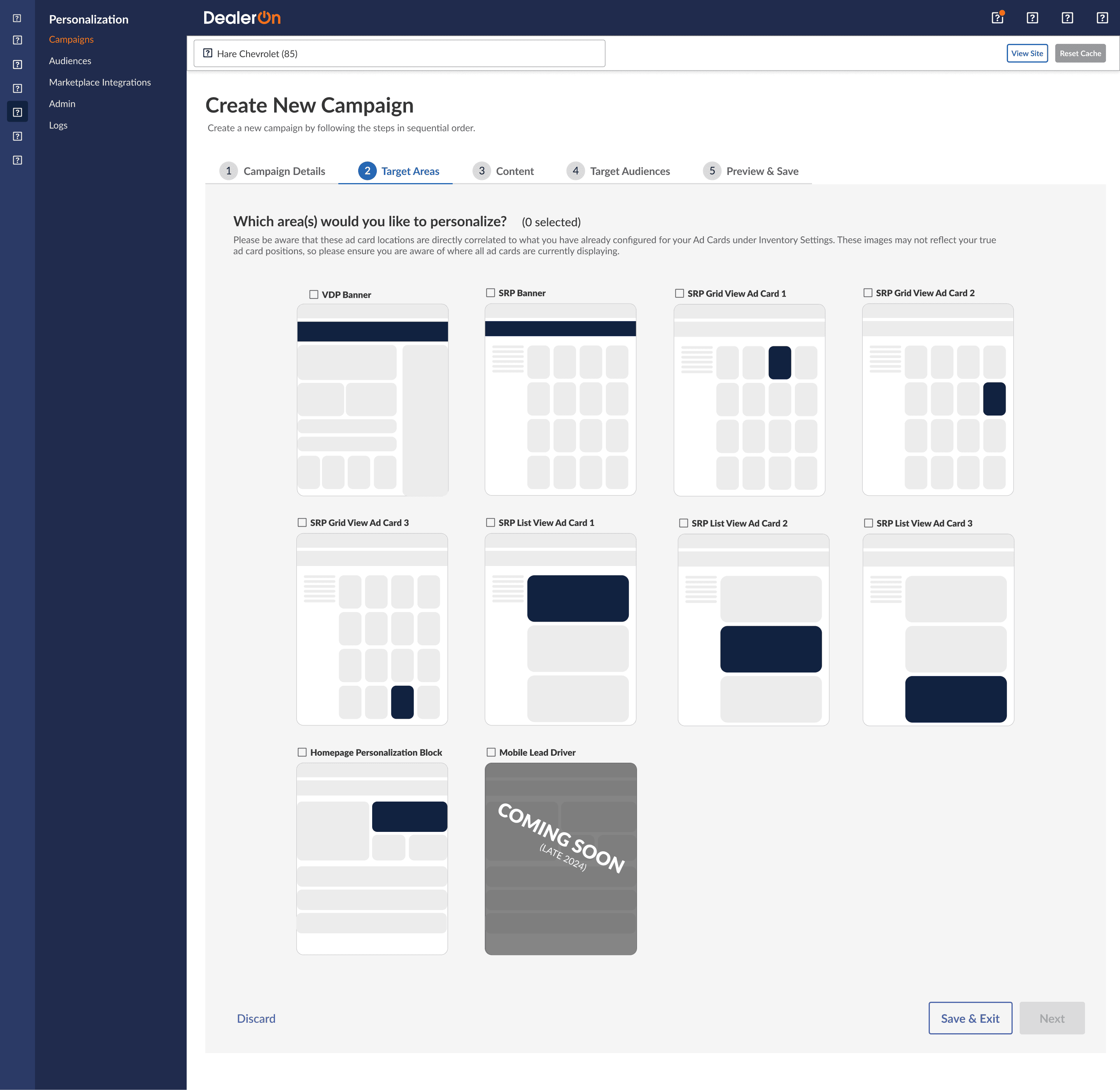
I had to completely drop the Ad Cards Settings (placement and configuration) portion of the project.
We pivoted to just 3 default Ad Cards initially, then consistent locations that are not configurable. This was to prevent hiccups during placement configuration…product and I agreed that establishing a location would be the best long-term solution.
REFLECTION & THOUGHTS
Leading the design of Signals required balancing multiple stakeholders, evolving requirements, and the realities of implementation within an existing CMS ecosystem. Throughout testing, I facilitated feedback sessions with internal teams to understand how the configuration experience would impact day-to-day workflows. Early iterations focused heavily on giving users granular control over ad card placement and rules, but testing revealed that the complexity of these controls could introduce friction during setup and increase the likelihood of configuration errors. This insight helped guide several refinements to the settings experience and reinforced the importance of prioritizing clarity and usability for internal users.
During later testing phases, we reached a critical moment where the team determined that the original configurable placement system would introduce too much operational complexity. Although I had invested significant design effort into the settings interface, I worked with product leadership to pivot toward a simplified model that used a small set of predefined ad card locations instead. This shift allowed us to maintain the core value of Signals—behavior-driven inventory promotion—while ensuring the feature could launch reliably and scale across dealership websites. By adapting the design and focusing on a pragmatic solution, we were able to deliver a stable and effective product while setting a foundation for future iteration.